Skip to content
Minerva

Your online menu, and the orders that arrive in Flow

The customer opens your menu by a link or a QR code. Their order arrives in Flow, in the modes you choose, and they follow its status.

No credit card. Free access to start.

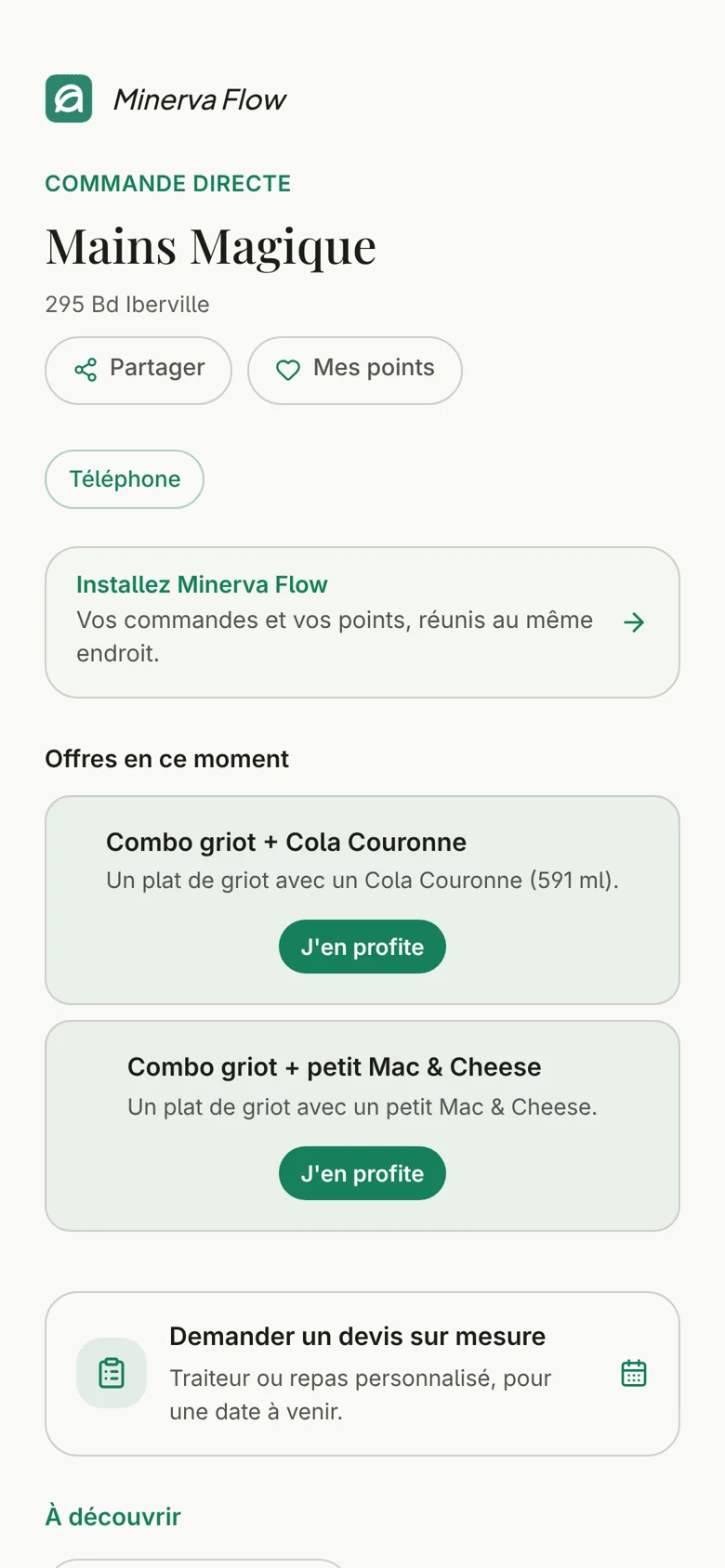
The online menu of Mains Magique, in French: direct ordering, current offers such as the griot combo, and the custom quote request.
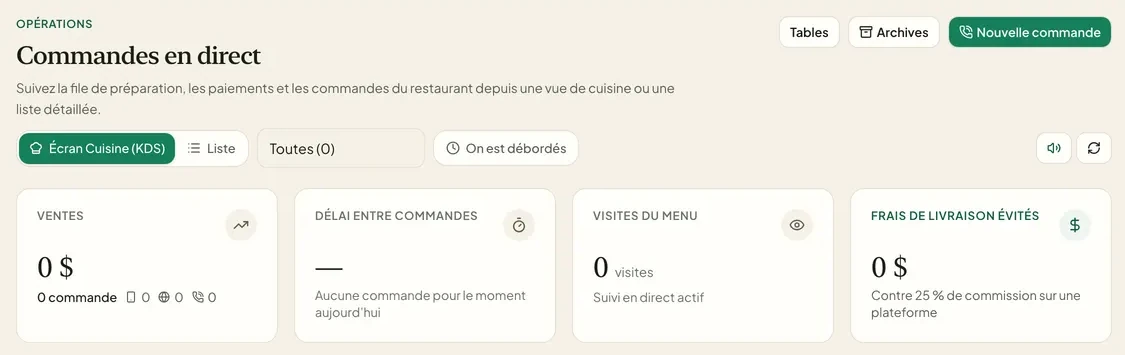
The customer opens the menu by a link or a QR code and orders; the order arrives in Flow and on the kitchen screen, dine-in or delivery in your modes.

Our partners

Connects to what you already use

Without a connected register, you enter the day's closing. If you have Clover or Square, we check with you during setup whether your account can be connected, with your permission. The Lightspeed Retail (X-Series) connection awaits Lightspeed's validation. Online payment with Stripe is coming soon.

See the register connections
  • No register
  • Google reviews

From the menu to the order

From the menu to the order, without paper

You manage the menu once. The link and the QR code always show the right version.

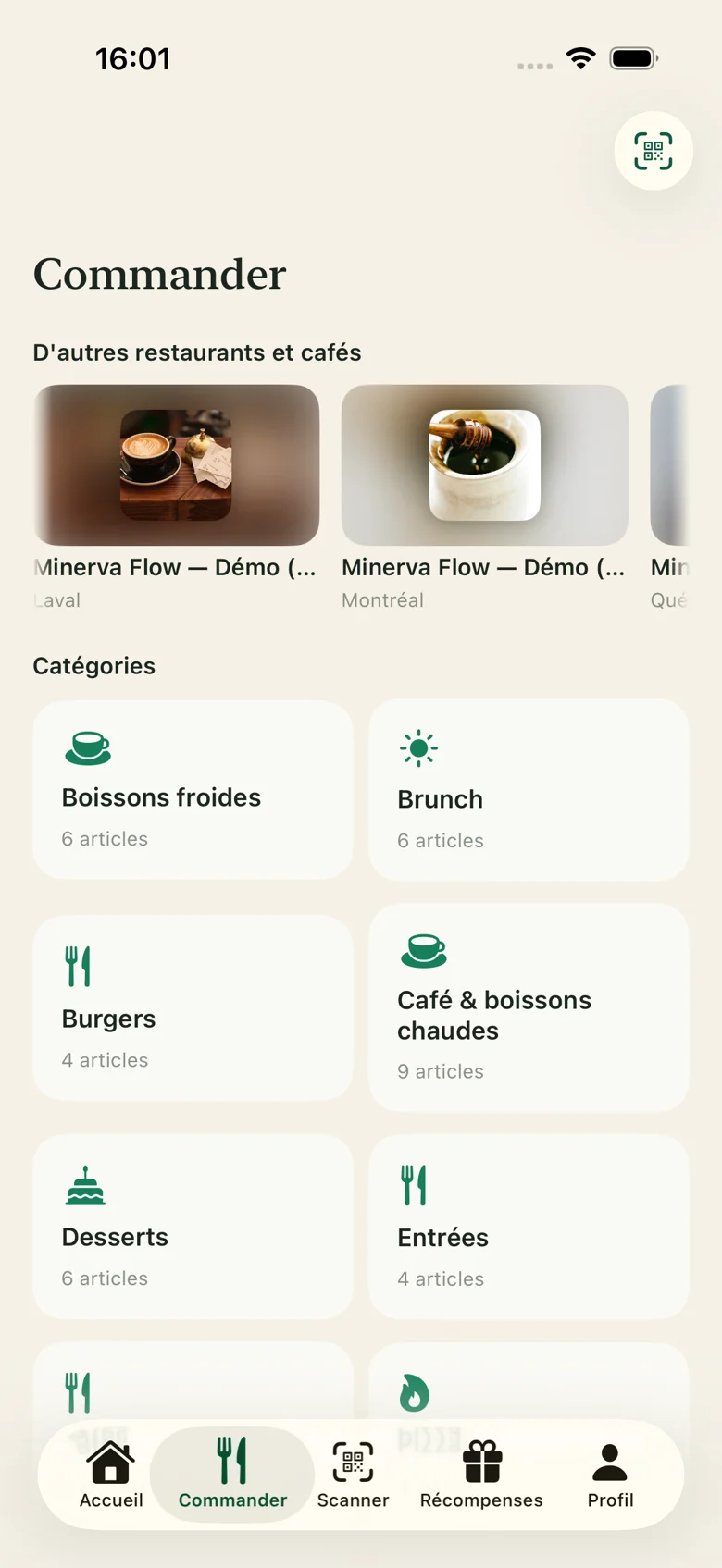
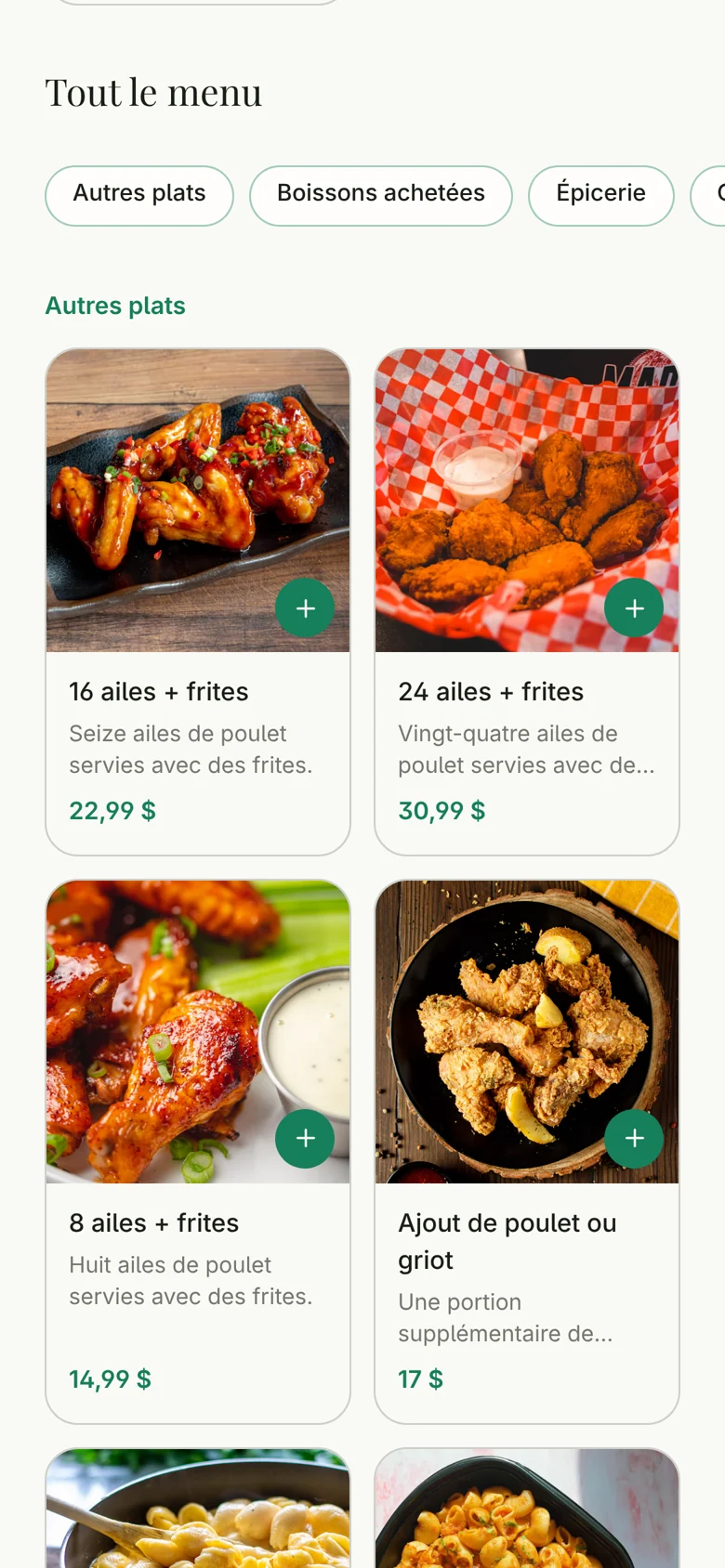
  • Ordering in the Minerva Flow customer app, in French: the dishes by category.

    The order

    The customer orders, the kitchen receives

    The customer picks their items, gives their name and the time they want, then sends the order. It arrives live in Flow and on the kitchen screen. Payment is made when the order is received; online payment with Stripe is coming soon.

    • Dine-in or delivery, in your modes
    • The time the customer wants
    • The customer follows the status of their order
  • Short links and QR codes

    One link to share everywhere

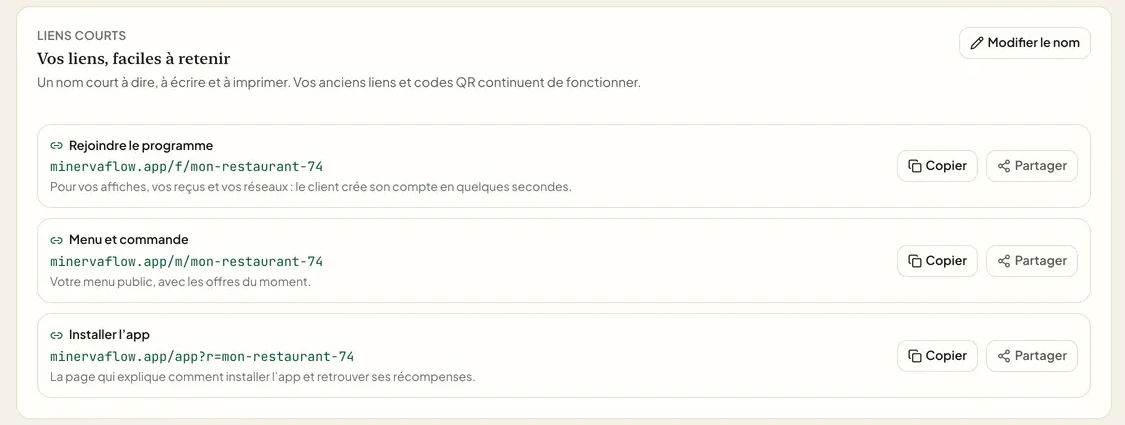
    Each link has its QR code: the menu and ordering, the loyalty program, installing the card. To print on the tables, stick in the window or add to your Instagram profile.

    • A QR code for each link
    • On the tables, in the window and on social media
    • Always the right version of the menu
    Explore loyalty

What is true today

How the menu and orders work, and our terms, with no invented figure.

app for your customers to download
0
ways to sign up: by QR code or at the counter
2
steps to get started, from the account to following your regulars
4

Terms

  • The Free plan has no time limit. Advanced features need a paid plan, with no setup fee: try it for 14 days, without a credit card.
  • Paid plans: $150 or $290 a month, plus taxes, with 25% off yearly. The whole app, with your own mobile app, from $590 a month, by agreement. A partnership with marketing coaching is also offered: its price is set by written agreement, depending on the restaurant.

In practice

Your online menu in four steps

  1. Step 1: Add your items

    The categories, the items and their prices.

  2. Step 2: Choose your modes

    Dine-in, delivery, or both.

  3. Step 3: Display the link and the QR code

    On the tables, in the window and on your social media.

  4. Step 4: Receive the orders

    They arrive in Flow and on the kitchen screen.

In preparation

Coming soon: sell online under your own brand

These features are in preparation. They are not open yet, and no date has been announced.

  • Your online shop

    Coming soon: sell under your own brand, with a storefront and your catalogue.

  • Online payment, with Stripe

    Coming soon: your customers pay when they order, with our partner Stripe.

  • A second brand

    Coming soon: another brand or a counter in the same account, without creating a new one.

Frequently asked questions

Answers to the questions people ask us before they start.

Another question? Contact us

Put your menu online

  • Your menu on their phone
  • Your items always up to date
  • Your orders in one place
  • No credit card
  • Free access to start
  • A reply from a person to every request